

RELEASE HIGHLIGHTS
New Support Center integration.
Users can now access The Code Registry’s Support Center. Here you’ll find our knowledgebase, but also a full support ticket system. We will endeavour to fill the Support Center with helpful guides, articles, and frequently asked questions related to us and our service.
We are also committed to responding to any support tickets as soon as possible. So if you have any issues or suggestions, please use the ticket system and we’ll get back to you!
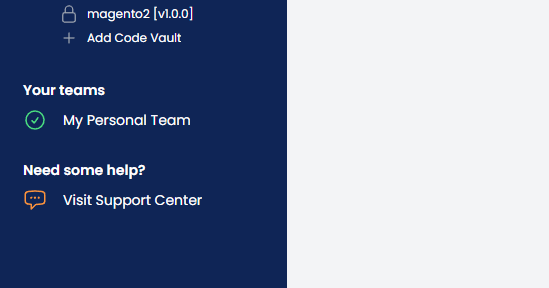
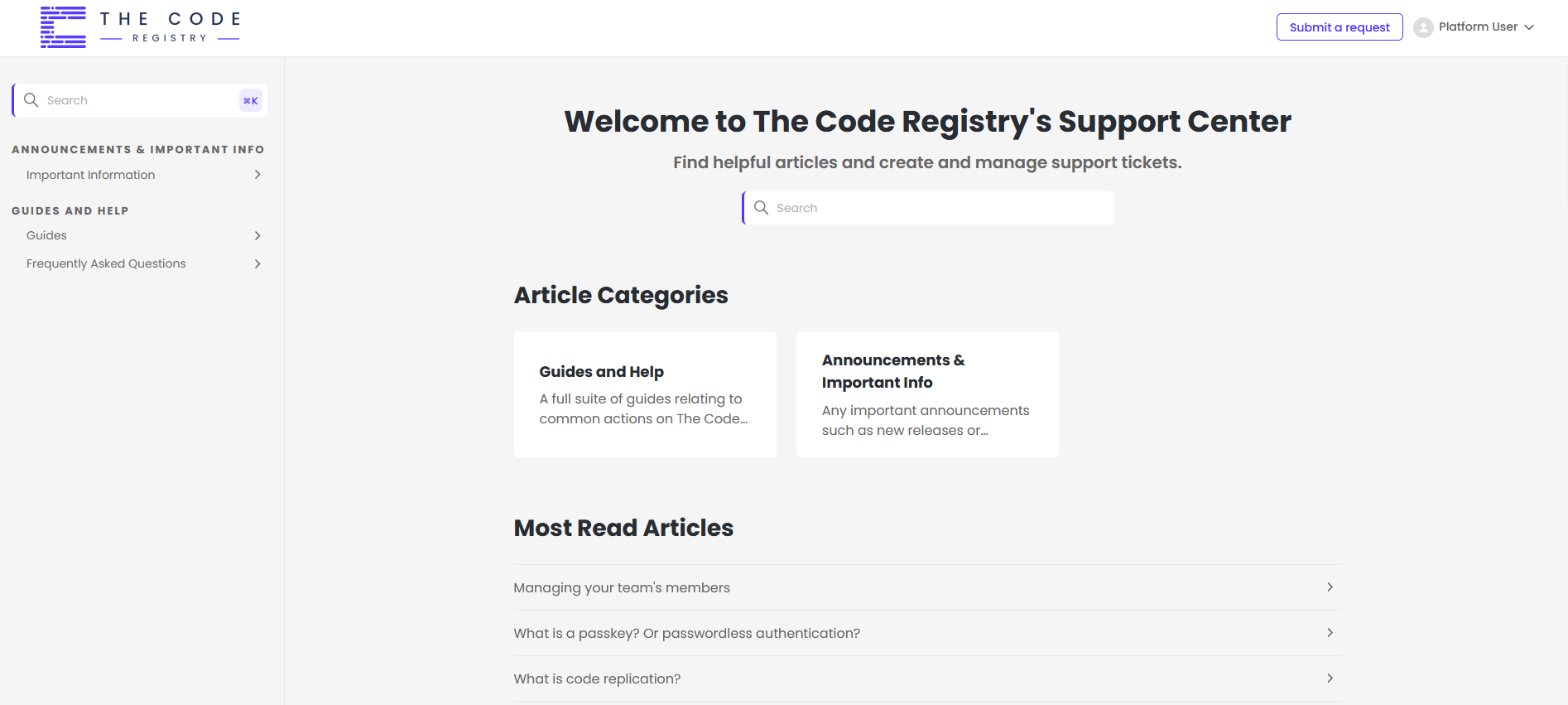
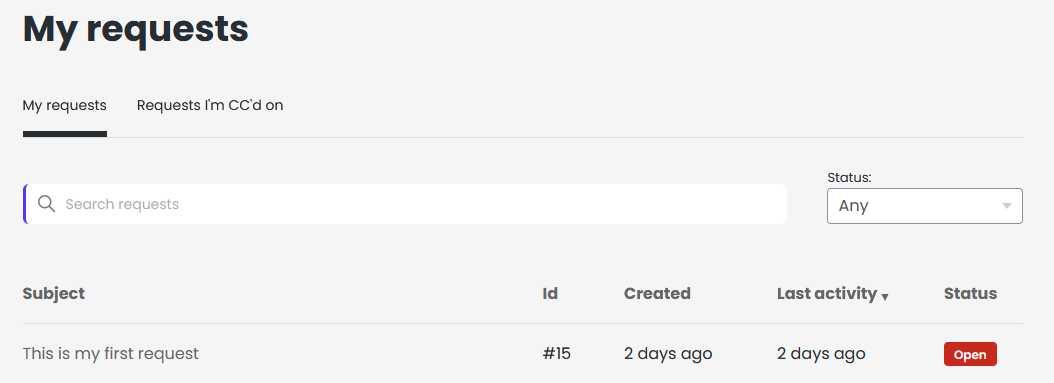
We will also detail new releases and features here, like the article you’re reading right now!
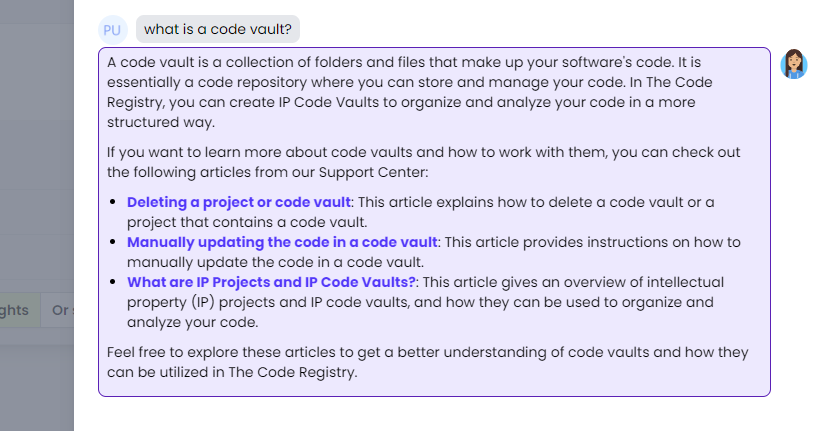
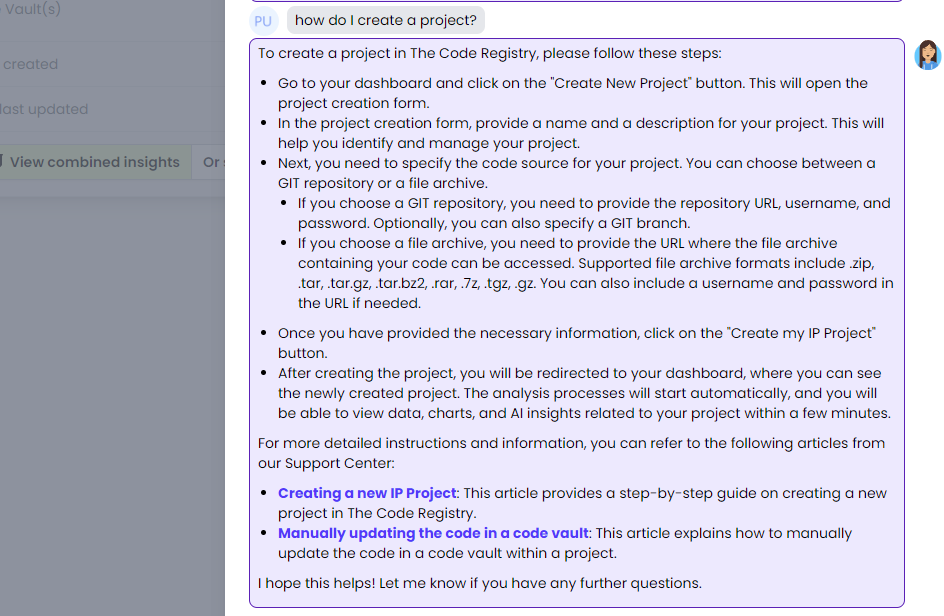
And what’s really cool is that Ada can access the entire Support Center too! So you can ask her questions about how to do things, and as long as there’s an article on that topic, she can help. For example
THIRD PARTY COMPONENTS
Store example paths for detected third party components.
Before this release, detected third party components were stored without any paths. This decision was based mainly on how verbose this data could be: with potentially hundreds of components, each with hundreds of files, the amount of data can get very high.
To help provide more information, we’ve settled on the middle ground of storing up to 3 example file paths for each component. These will be shown on the component page in a new combined “Licenses & File Info” column, which was itself revised to help with the layout of this data.
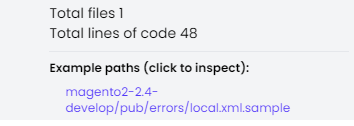
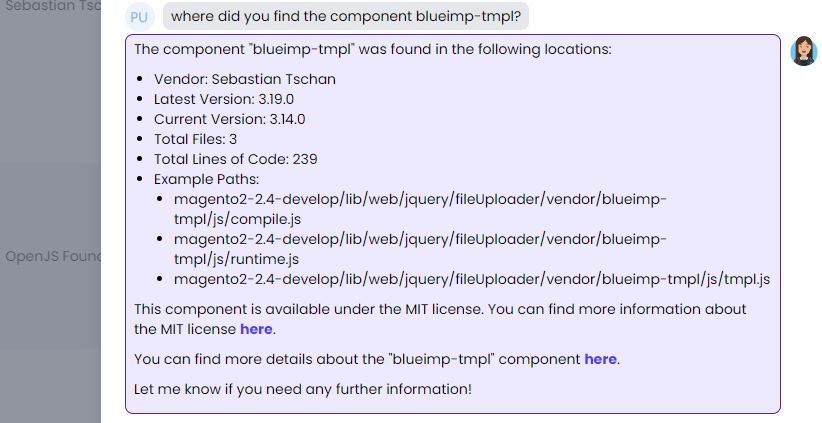
What’s more, Ada is aware of this data too!
LICENSE VIEWING
Improved license viewing for third party components.
When we detect a third party component, we also check to see if there are any licenses mentioned for it in your code. If so, we previously showed this like this, where the license information and checklist buttons simply opened in a new tab

Now it looks like this
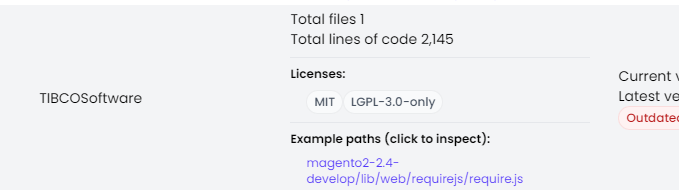
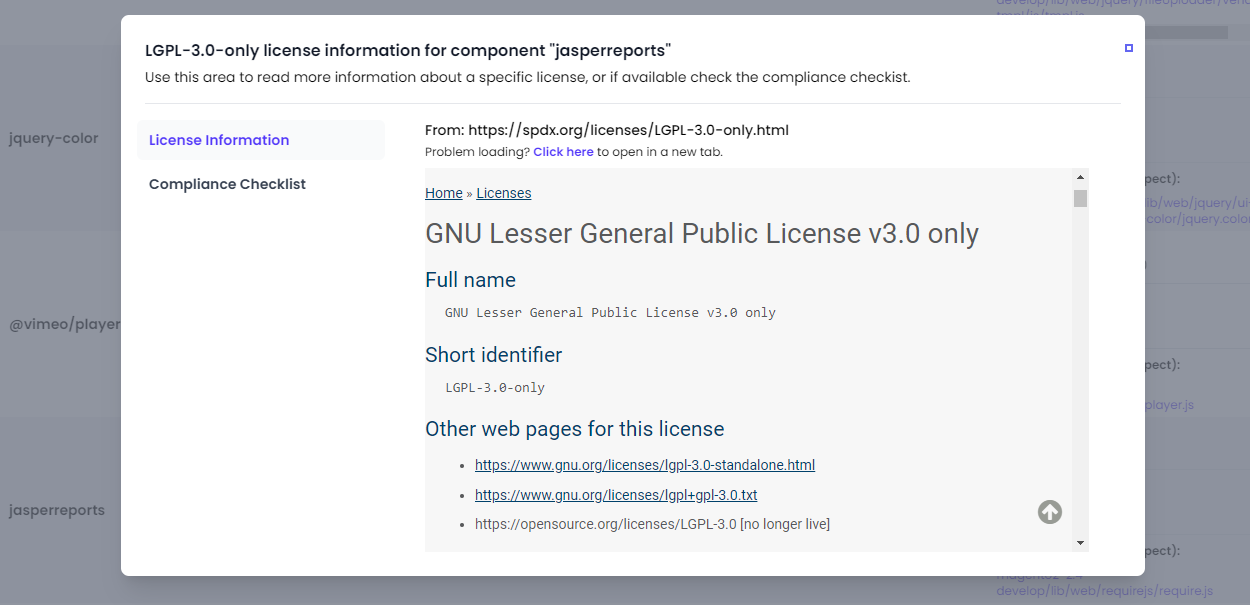
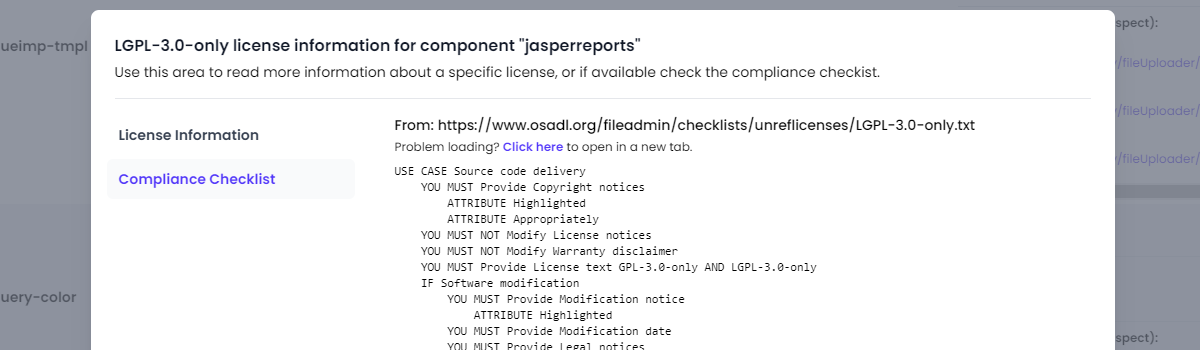
And clicking any license gives you a new inline modal experience, where the license information and compliance checklist data is embedded, for a more seamless experience
CODE BROWSER
Improved code browser and ability to “inspect” files.
Unknown to most, we already had a full code browser that you can access when viewing any code vault, from this button in the header
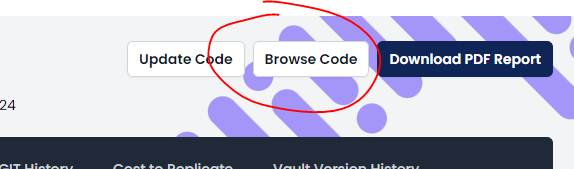
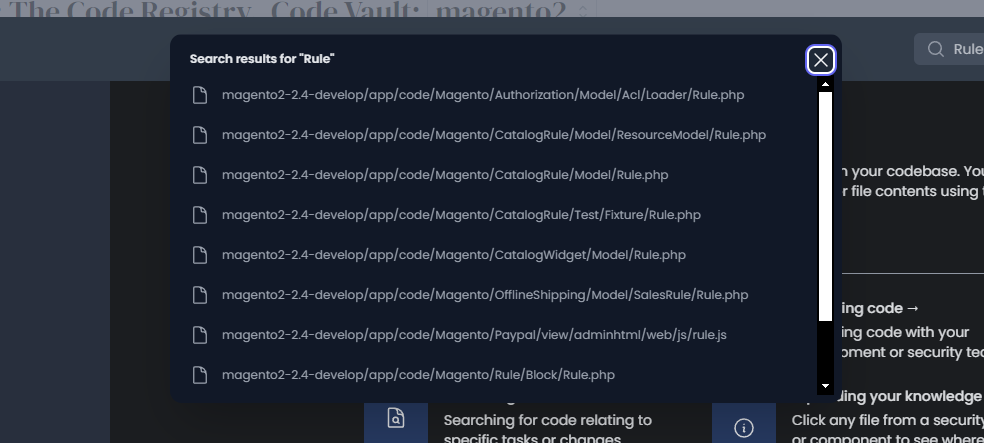
But this has now been completely revamped. Instead of opening in an entirely new page, clicking the “Browse Code” button opens a new inline modal experience
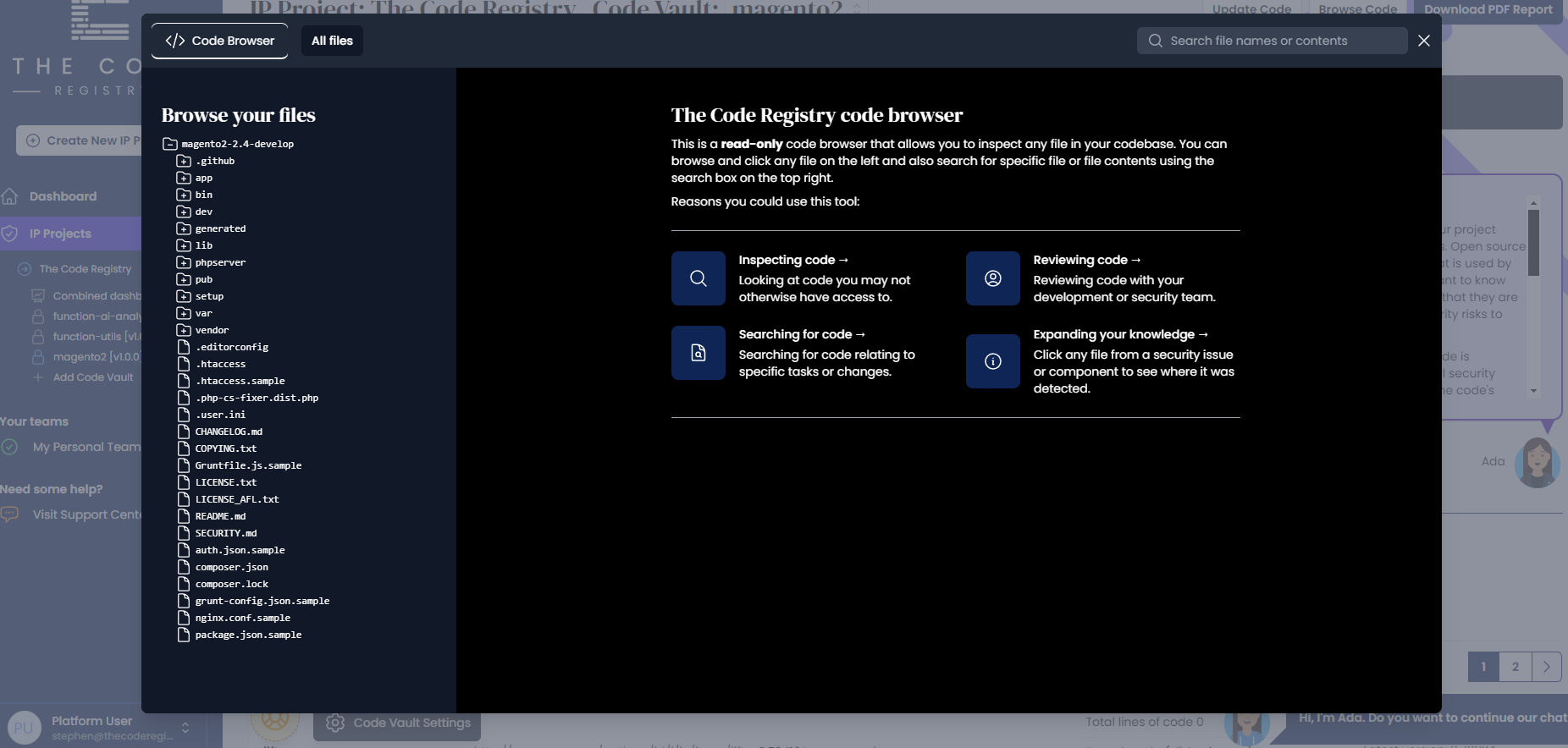
From here you can browse the code from your code vault, or search for any file name or file contents using the search on the right
But where this gets really cool is the new ability to “inspect” any file from the list of security issues or third party components
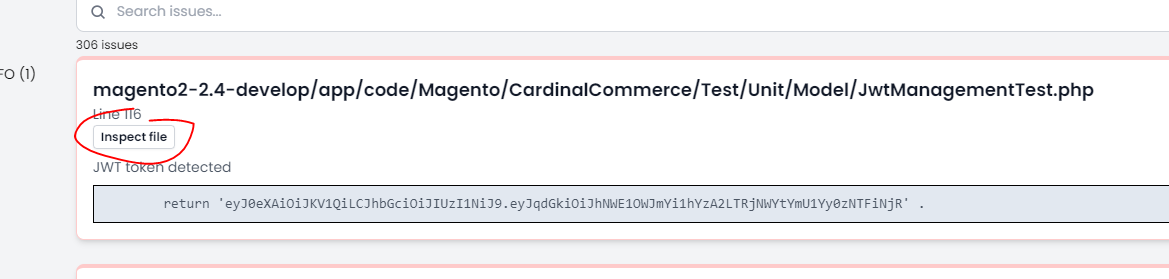
his opens that file in the new code browser experience, so you can see exactly where that security code was detected, or where that third party component was included.
We’ve got more plans for this feature, but we’re hoping this is a start to make it more useful for users.
OTHER CHANGES
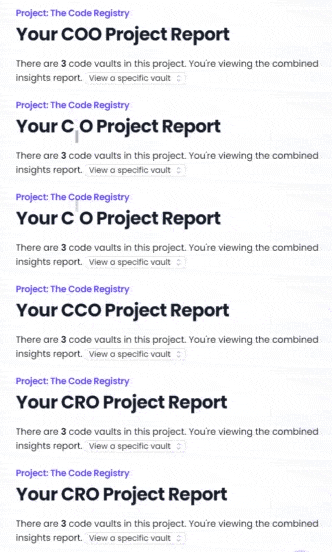
Dynamic CXO Report View Title
This is just a little quality of life improvement to make this report more inclusive to other “C Suite” positions, or if anyone wasn’t sure what “CXO” meant.
Add the Code Vault Name to the GIT Analysis Page, in the List of Changes, When Viewing From a Project
This was missing and can be confusing if your project has multiple code vaults. It’s also searchable now!
Added a Limit to the Ada Chat Usage for Free Accounts
We’ve limited free accounts to 10 Ada messages per 24 hours.
This doesn’t affect beta access users and won’t affect paying customers after the beta programme is over!
BUG FIXES
- Fixed an error when analysing a code vault and trying to generate the Ada AI summary of the code contributor data, if there were too many contributors (over 50). We now sort the contributor data by number of commits and only use the top 50 to be summarised by Ada.
- Fixed a similar issue when chatting to Ada about a code vault with more than 50 code contributors.
- Fixed an issue that stopped users from deleting the demo projects.
FROM COMPLEXITY TO CLARITY
Move from uncertainty to complete code confidence.
Get the independent intelligence you need to understand, verify and protect your software.
Book a demo