

RELEASE HIGHLIGHTS
A big release full of bug fixes, improvements, and a major new feature — AI Code ROI.
AI CODE ROI
This has been a very exciting feature to work on.
The Code Registry has been in a unique position, because since we launched we’ve always had our “Cost to Replicate” algorithm, which involves 8 or 9 data points to come up with a number of what it might cost for a human development team to write your project’s code volume.
With everything going on with AI code-generation in the world, we’ve had many conversations with larger enterprises heavily using AI code-generation, and also talked to some leading AI code-generation platforms themselves. It was clear that everyone wanted some insights on the return on investment of their AI spend.
Due to the “Cost to Replicate,” we were uniquely positioned to take a few more inputs from the user and provide a specific, curated perspective on this — how does your spend on AI tooling compare to if a purely human development team had written the code. And this World First AI Code ROI dashboard is the result.
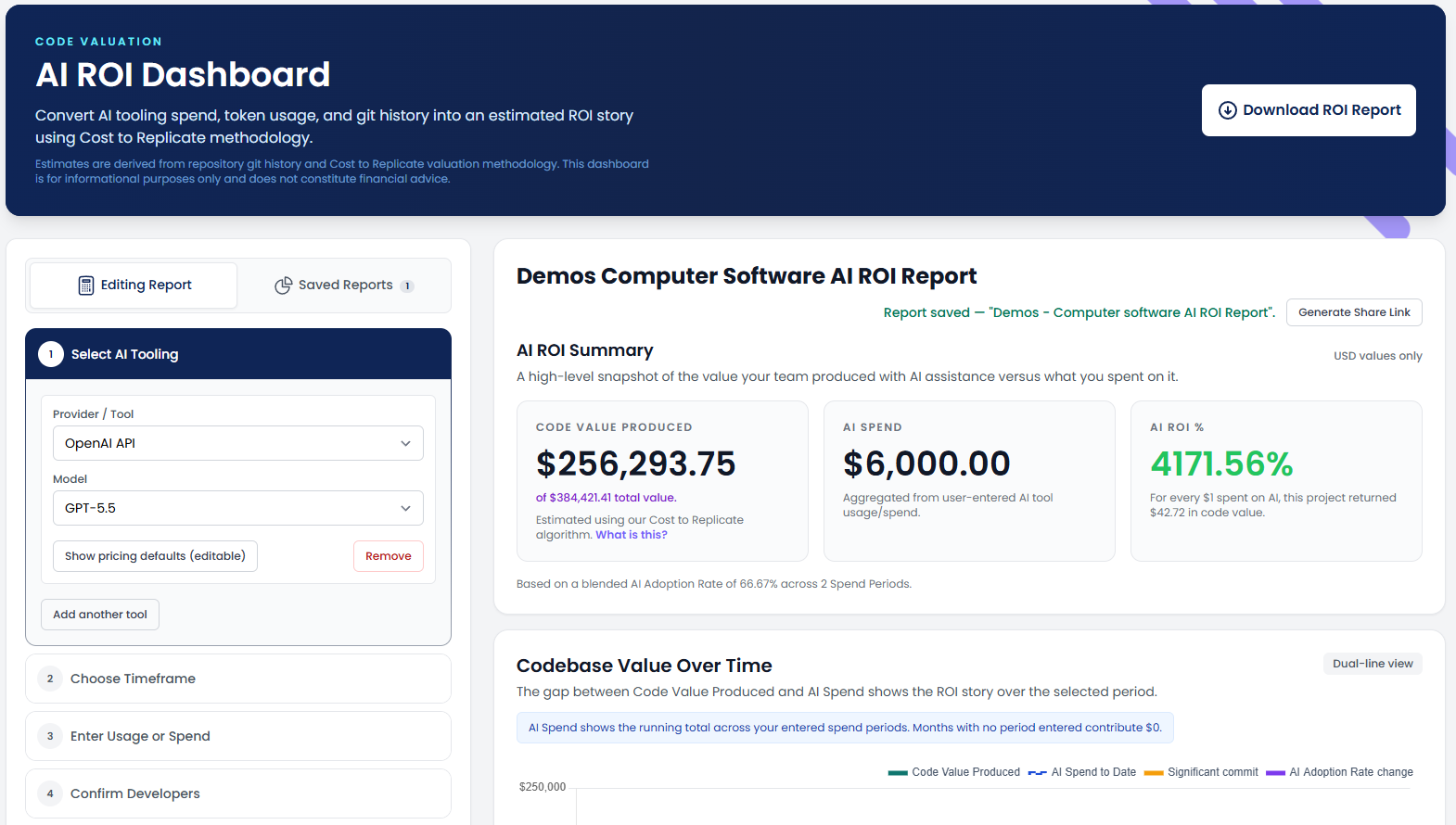
We take inputs from the user around what AI tooling they use, what their AI spend is over different time periods, and what their AI adoption rate was in those same periods. So users can configure that they spent X on AI tooling in 2024 with a 60% adoption rate, and Y in 2025 with a 70% adoption rate. From that data, alongside our pre-calculated “Cost to Replicate,” we can extract some very interesting insights.
This one is my favourite
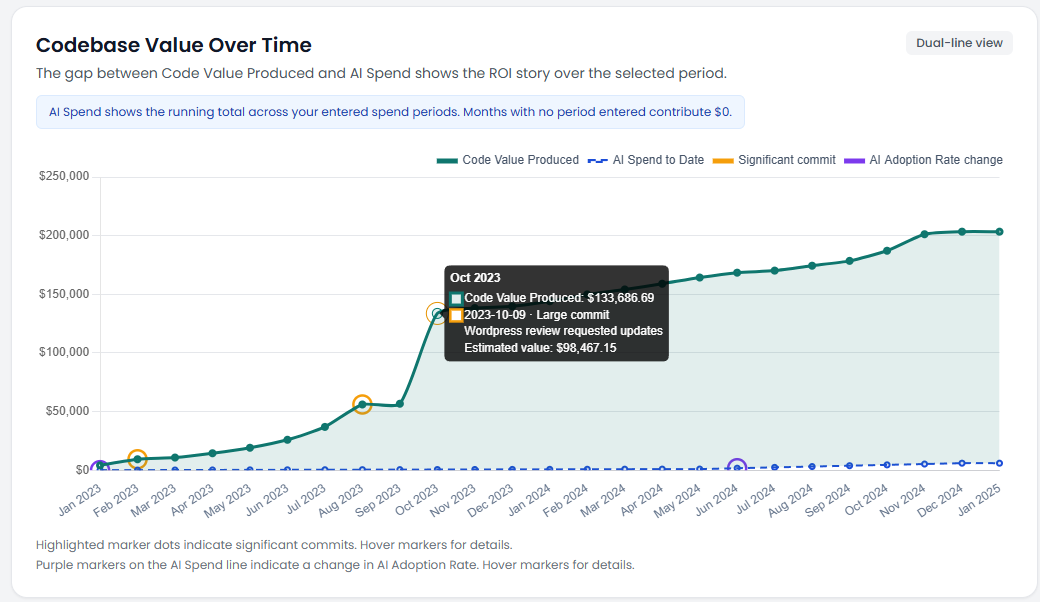
It takes the current code valuation as it stands now, and works backwards through the actual GIT history and volume of changes to see how this valuation has changed over time. It includes code changes that significantly changed that valuation, and shows your AI spend and when the AI adoption rate changes at the bottom.
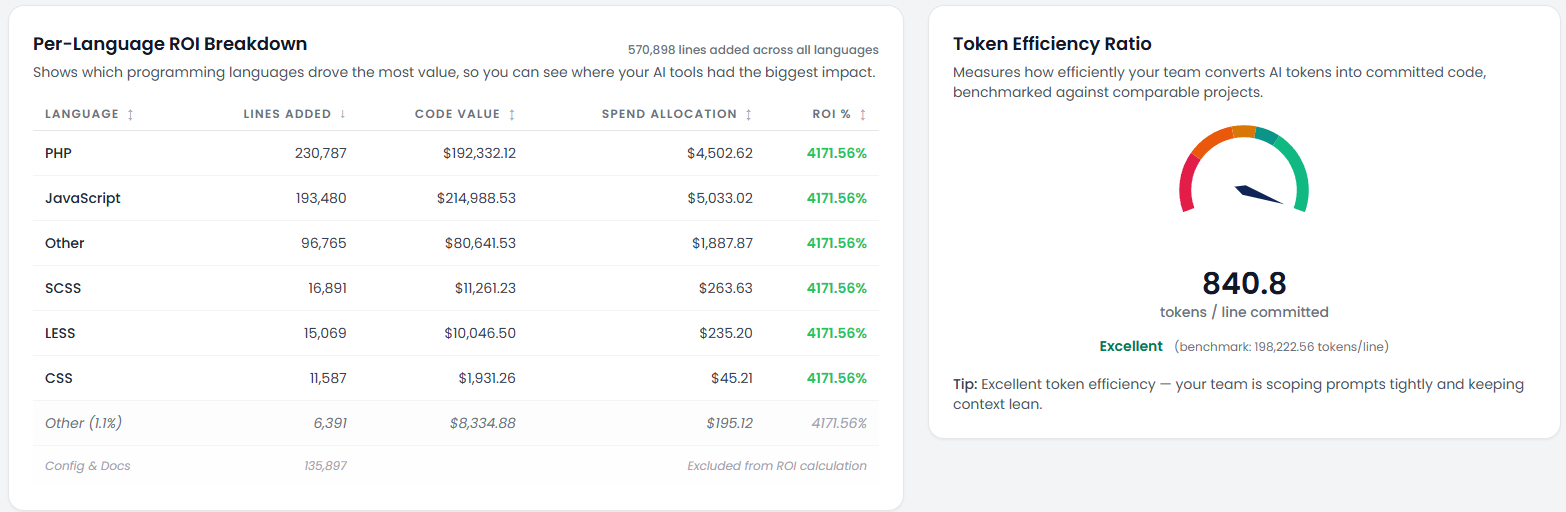
We also look at language breakdown data, as different languages will have different human developer resource costs. And we look at token efficiency ratio, which is the average number of tokens used per commit in the time periods the user gave us — we even benchmark this against other similar projects.
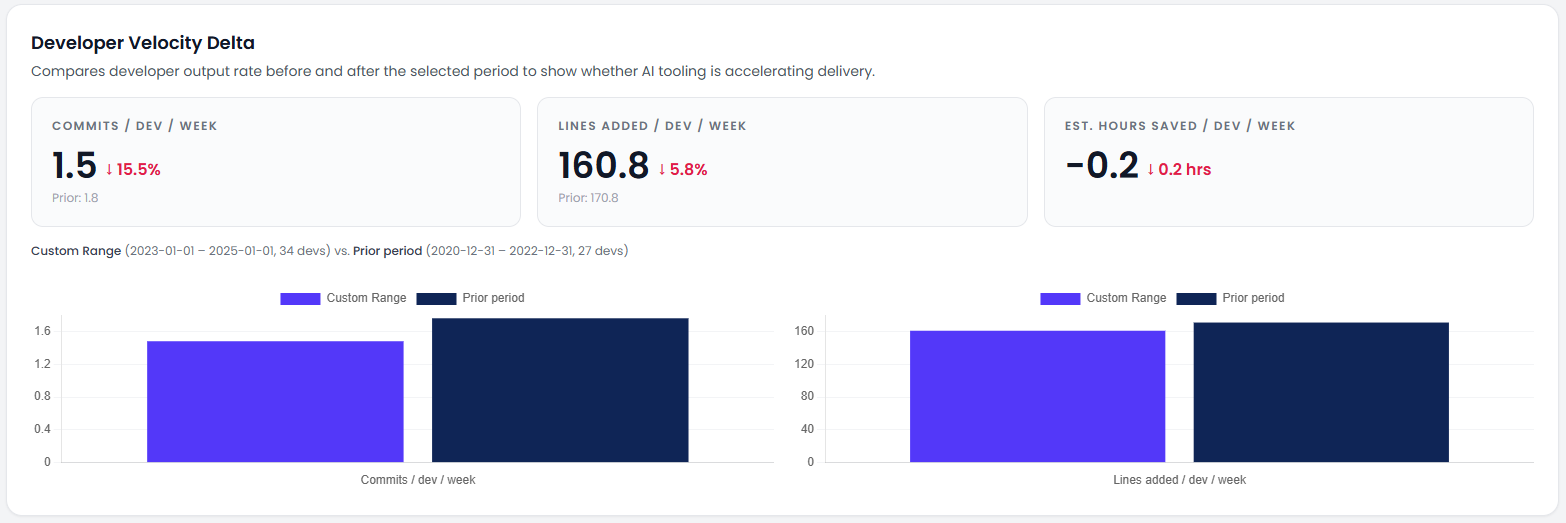
The Developer Velocity Delta shows how code change velocity changed in the given time periods, as you would expect “lines per dev per week” to shoot up in the period AI was rolled out.
Finally, we have our “What if” and forecast modelling
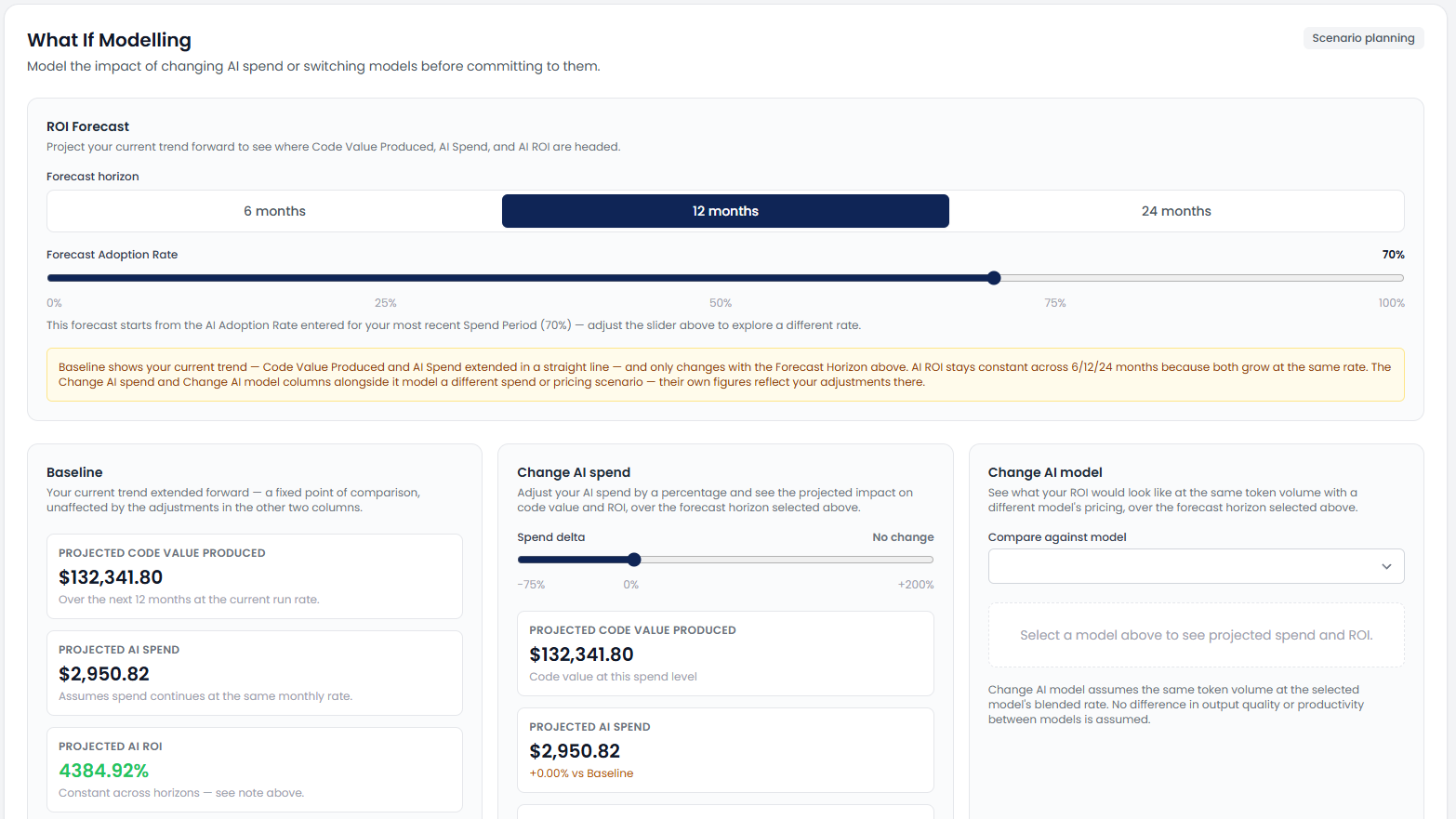
Here, we take a time period (6, 12, or 24 months) and your baseline, and forecast out how things will look at the current trend of AI spend and codebase valuation. Then you can see how things will look if you spent more (or less), or even used a different model entirely — GPT 5.5 versus Claude Sonnet 5, for instance.
This is an exciting time, and this shows how quickly we can move with the market and generate valuable insights from our code intelligence platform.
OTHER CHANGES
Access to Full Data via MCP and API for Paying Teams
Our native MCP server and REST API have been live for a long while, but in the previous iteration they were made to essentially mirror the output of our PDF code snapshot reports — containing only summaries of data, like counts, totals, and maybe 10 top issues.
We’ve now expanded the MCP server and API for paying users, so that the entirety of the data we hold across security, technical debt, code quality, and calculations like The Code Score are all available. This will make these much more useful in user workflows.
Ability to Scope API Keys to Specific Projects
Previously, API keys could access all projects in a given team. Now they can be easily scoped so each API key can only access specific projects.
Improved UI/UX of the Team Invitation Process
When you were invited to another team within the platform, it wasn’t completely clear this was the case — it’s in the sidebar on the left of the app. Now when you login with a pending invite, you’ll get an easy dialogue window to accept.
Improved MCP Server Support in Non-Docker Environments
There was an issue where an AI agent was in a system with no Docker access, so we’ve improved this now. This was primarily a fix for Lovable but will work for any system where this is the case.
BUG FIXES
- Fixed a bug where the Local Code Agent opensource component scan could fail due to special system files.
- Fixed a UI bug in some edge cases when choosing the local code agent option wasn’t possible (clicking didn’t do anything).
- Fixed a bug where not all branches were pulled from GitHub after selecting a repository, if there were 200+ branches.
- Fixed a UI bug that made the “Code IQ” sub-menu sometimes disappear when trying to select it.
- Fixed a UI bug when editing user permissions when you have 25+ projects and code vaults.
- Fixed a bug in the Local Code Agent where security data didn’t always pull into AI Quotient data.
- Fixed a bug where The Code Score wouldn’t show when code storage was turned off.
- Fixed an issue in the GitHub integration where repositories wouldn’t change within 5 minutes of changing the connected account, due to caching.
- Fixed an issue with GitHub when configured at the project level, where “personal repositories” would pull from the account level integration.
- Fixed a bug where users could get stuck in an onboarding loop after upgrading packages.