

RELEASE HIGHLIGHTS
This release includes our new local code analysis agent — an exciting announcement!
NEW LOCAL CODE ANALYSIS AGENT
Run our code intelligence analysis on your own machine.
his is something we’ve been working on for a while — the ability to run a simple command on your local machine or server, analyse your code using the same code intelligence engine as our SaaS platform, and view the results in our normal web interface, the same as any other code vault.
Previously the only ways to analyse your code were to sync it from your GIT repository, or give our platform the URL to a file archive hosted somewhere such as Google Drive, Dropbox, OneDrive etc. This still caused issues for companies with strict code policies, or customers who didn’t like the idea of someone else syncing their code.
At first we thought it wouldn’t be possible, due to the way our code analysis engine is architected — it runs on various microservices, with separation of concerns, each doing its own analysis independently. But our engineering team came up with a way to package this all into a single command that anyone can run from their own machine, their developer’s machine, or a server. As the command is Docker-based, it should run on Windows, Mac, and Linux machines.
This is what it does
01
Downloads the latest Docker container image with our analysis engine on it.
02
Analyses the code in the current folder, or another folder you give it.
03
Creates a local anonymous .zip file of the analysis findings, which doesn’t contain your source code.It does however contain minimal code snippets (sometimes a single line) for detected security vulnerabilities, to show you where it was found.
04
Uploads the .zip file to our secure encrypted file store, and tells our platform it’s ready.
05
Our platform extracts the .zip file, inserts the data into your code vault, and it’s ready for you to view.
06
Your .zip file is then deleted from our file store as soon as it’s processed.
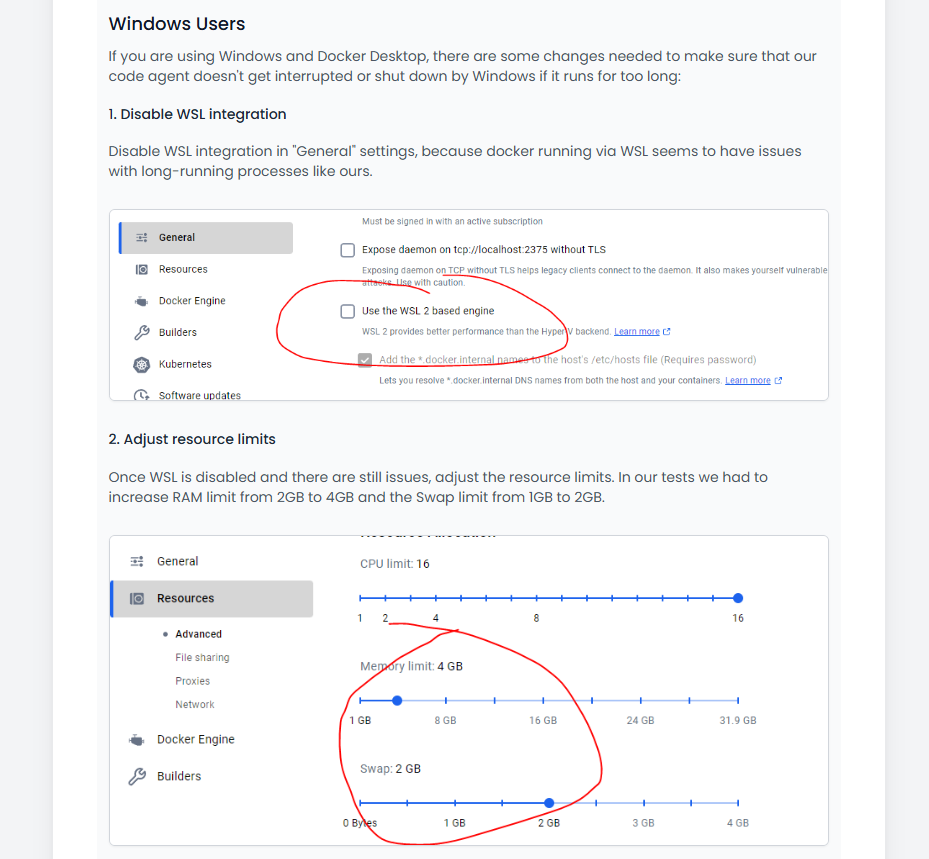
A few caveats: Windows users sometimes see issues with long-running, memory-intensive Docker processes — we’ve added setup steps to avoid this. If there’s a .git folder, the agent will analyse GIT history and branches too; remove or move the folder to stop that. It will only analyse what you’ve checked out, so run git fetch --all first if you want full history analysed. And if you want to preview the .zip file before sending it, run the command with --dry-run.
And here’s how it looks!
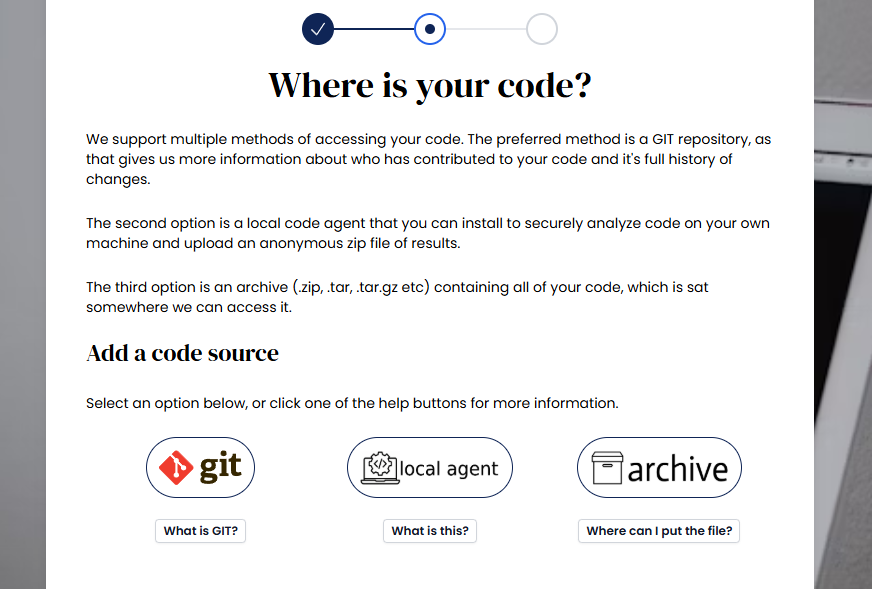
New local code agent option when creating a project
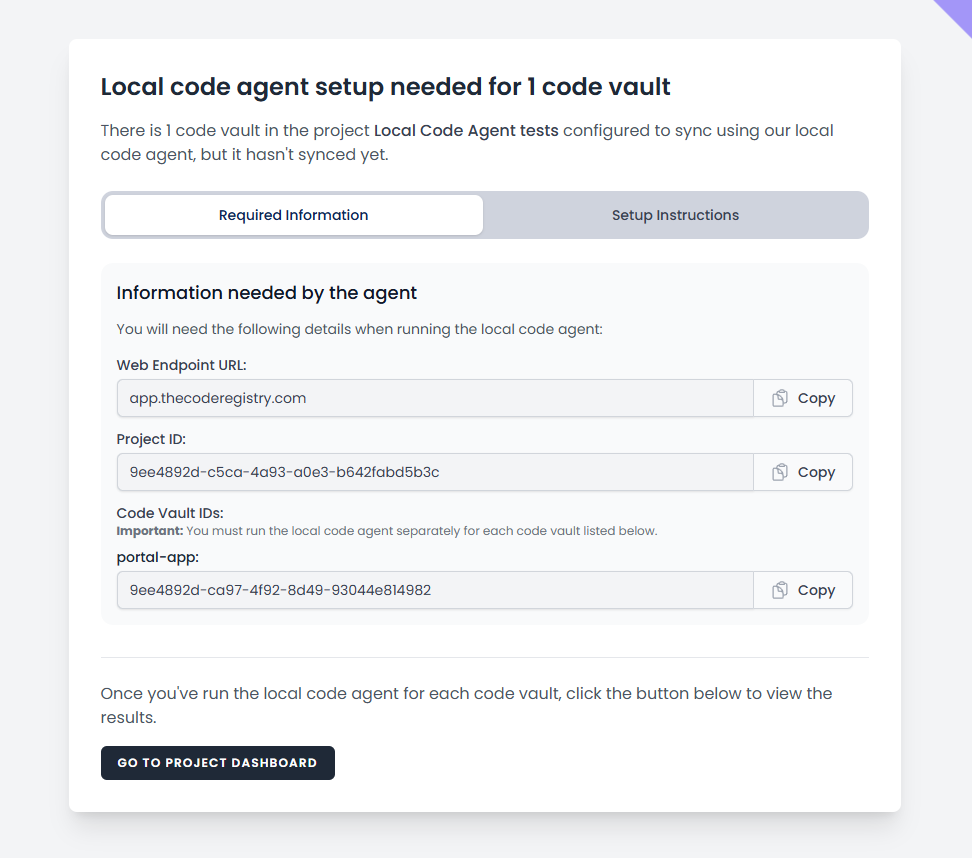
The local code agent instructions you’re shown after creating the project
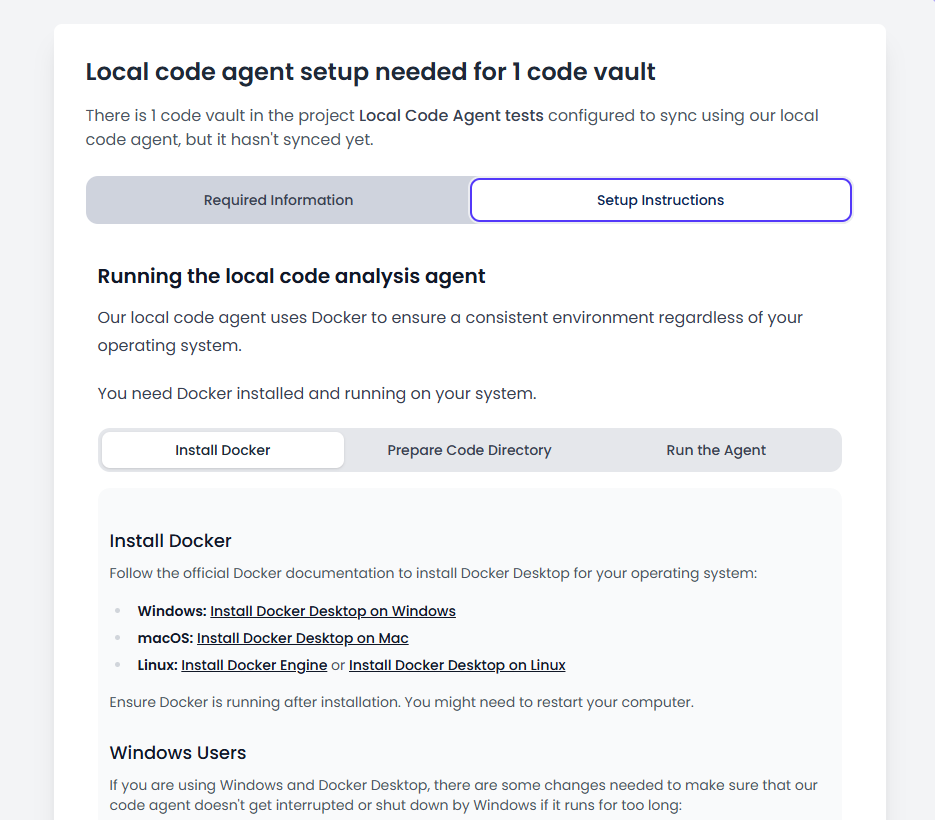
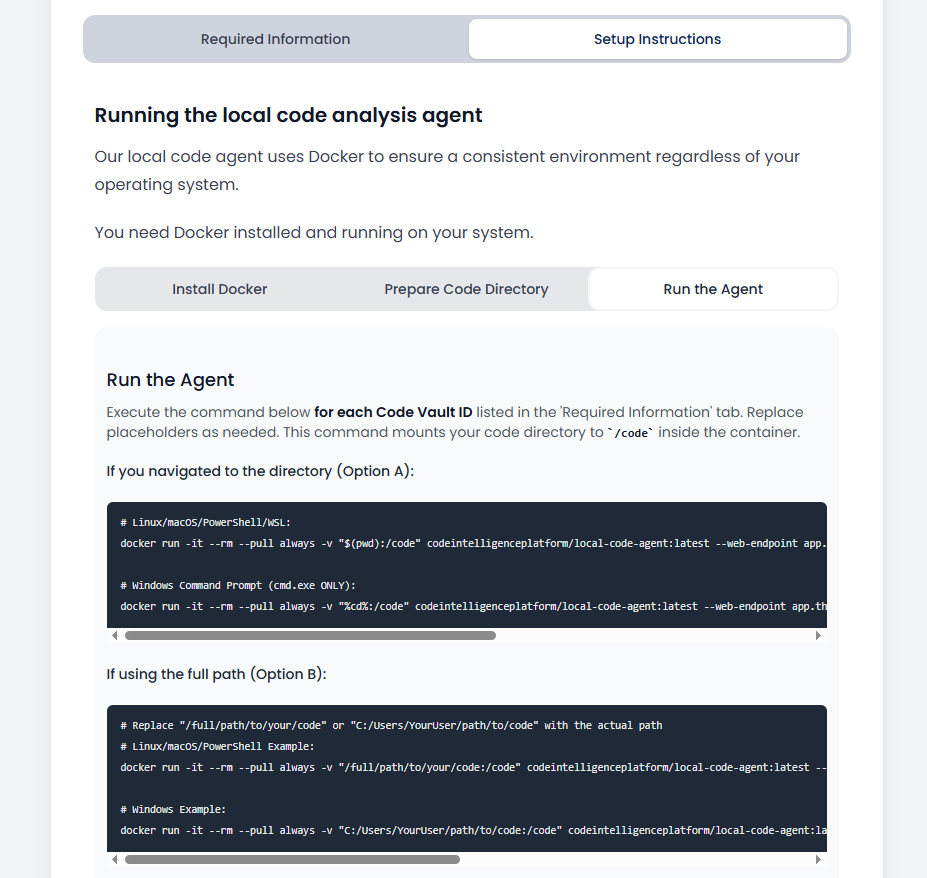
Instructions showing the command to run
Windows-specific instructions in case of any issues
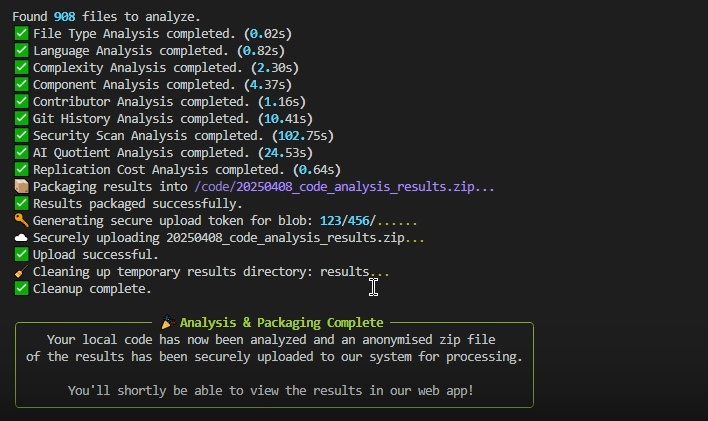
Example output from our local code agent
Please note: as this is a big new development, please let us know of any issues and we’ll jump right on it!
OTHER CHANGES
Big Improvement to Page Performance When Viewing Security Issues
This has been coming up a few times in our own testing — page speed issues when browsing security issues. We’ve essentially rewritten most of this functionality and it’s now a lot quicker.
Improved Auto-Retry When File Type / Language Analysis Has Issues
We noticed some edge cases where file type/language analysis failed and returned the wrong count, with knock-on effects in areas like cost-to-replicate. We’ve improved error detection and retry mechanisms to re-run this analysis automatically.
Improved Error Handling for Azure Filesystem Errors in the Security Analyser
We noticed rare, odd Azure filesystem errors in the security analyser (it can’t find files or folders). We’ve added workarounds and retry mechanisms — the joys of serverless scalable functions in the cloud!
Improved Messaging Around Selecting GIT Branches
Added wording to make it clearer why a user may want to specify a GIT branch when adding a project/code vault.
BUG FIXES
- Fixed a bug in the GitLab integration where not all repositories were loaded, due to API limitations.
- Fixed a bug where in some cases the number of projects left on your account was calculated wrong.
- Fixed a bug where some free escrow certificate features didn’t show in some circumstances.
- Fixed a bug where too much data was sent to the AI layer to generate security issue summaries, causing an error due to context limits.
- Fixed a bug where a user’s current team is deleted, and they get an error when logging in (because their current team no longer exists).
- Fixed a broken link to create an account inside the team member invitation email, due to a recent change with our authentication service provider.
- Fixed a bug with odd symbols in AIQ issue contents causing errors.
- Fixed a bug in developer productivity where if all scores in the yearly output trend for a specific developer were 100, the chart didn’t show correctly.
FROM COMPLEXITY TO CLARITY
Move from uncertainty to complete code confidence.
Get the independent intelligence you need to understand, verify and protect your software.
Book a demo